
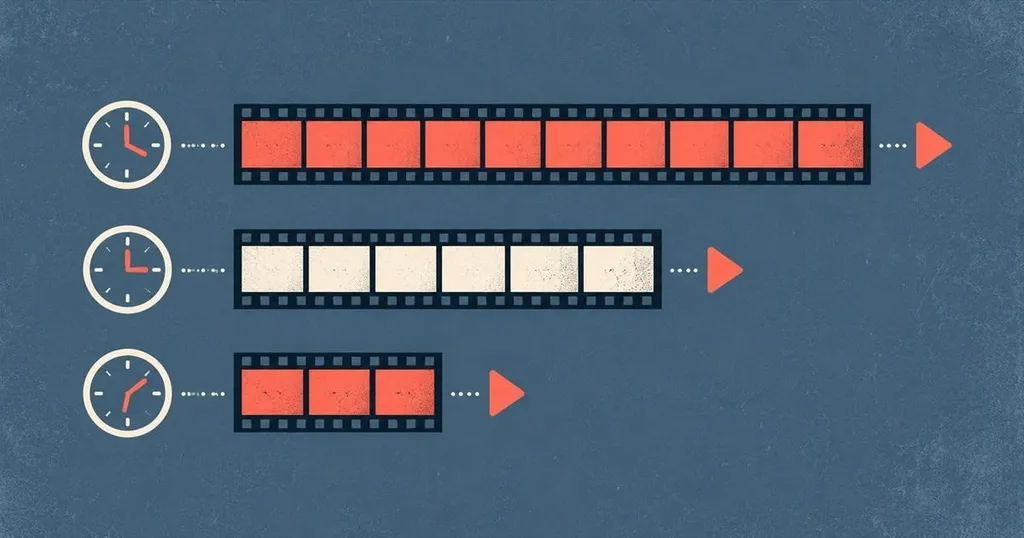
Most major streaming services offer free trials between 7 and 30 days, with the majority clustering around the 7-day mark. These trials let you test a platform's library, interface, and streaming quality before committing to a monthly subscription.
Free trials work because they give both sides what they need. You get full access to explore whether a service fits your habits, and the platform gets a chance to prove its value before asking for your money. But the details matter—trial lengths vary widely, some services have cut their trials entirely, and nearly all require a credit card up front with auto-renewal turned on by default.
If you're trying to comparison-shop without wasting money, understanding how these trials actually work will save you from surprise charges and help you make the most of each test window.
How Long Free Trials Actually Last
The standard streaming trial used to be 30 days. That's changed. Most services now offer 7 days, and some have dropped trials altogether in favor of promotional discounts or bundled offers.
Here's what you can expect from the current lineup:
- 7-day trials: The new normal. Apple TV+, Paramount+, and Peacock all offer a week to test their libraries.
- 14-day trials: Still available on some platforms, though less common than before.
- 30-day trials: Rare. A few niche or international services still run month-long trials, but the major U.S. platforms have moved away from this.
- No trial at all: Netflix, Disney+, and Hulu no longer offer free trials in the U.S. Instead, they occasionally run limited-time promotions or bundle deals through carriers and partners.
Trial lengths aren't static. Services adjust them based on competition, subscriber growth targets, and how confident they are that users will stick around. If a platform has a deep catalog or exclusive content, it's more likely to offer a shorter trial or none at all.
For a detailed breakdown of which services currently offer trials and how long they last, check out this streaming free trial guide.
What You Can Actually Do During a Trial
A free trial gives you full subscriber access. That means every show, every movie, every feature—nothing is locked behind an upgrade. You can stream on all supported devices, download content for offline viewing if the service allows it, and use any extras like profiles, watchlists, or parental controls.
The catch is that the clock starts the moment you sign up, not when you first start watching. If you activate a 7-day trial on Monday and don't log in until Saturday, you've only got one day left.
Here's what you should prioritize during a trial:
- Test the content you actually want: Search for specific shows or movies you've been meaning to watch. Don't just browse the homepage.
- Try the interface on your devices: Stream on your TV, phone, and laptop to see how the app performs and whether the interface feels intuitive.
- Check video quality: Make sure it streams smoothly at the resolution you're paying for. Buffering or compression artifacts are deal-breakers.
- Look at release schedules: If you're signing up for a specific series, check how many episodes are available and when new ones drop.
The goal isn't to binge everything. It's to answer one question: would you keep paying for this after the trial ends?
The Fine Print You Need to Read
Every streaming services free trial comes with terms that determine when and how you'll be charged. Most people skip this part and end up with an unexpected bill.
Auto-Renewal Is Always On
Your trial converts to a paid subscription automatically unless you cancel before the trial period ends. There's no grace period. If your 7-day trial expires at 11:59 PM on a Friday, you'll be charged for the next month at midnight.
Set a reminder for 24 hours before your trial ends. Canceling early doesn't cut off your access—you can still use the service through the end of the trial window.
Credit Card Required
Nearly every service requires a valid payment method to start a trial, even though you won't be charged immediately. This is intentional. It reduces friction for people who decide to stay, and it discourages serial trial users from signing up with throwaway accounts.
Prepaid debit cards, virtual card numbers, and privacy-focused payment services work on most platforms, though some services flag and reject them.
One Trial Per Person
The standard rule is one free trial per account, per payment method, and sometimes per household. If you've used a trial before, even years ago, you probably won't qualify again.
Some workarounds exist—using a different email, a different credit card, or signing up through a partner promotion—but services are getting better at detecting repeat users. The Over-the-top media service (Wikipedia) model depends on converting trial users into long-term subscribers, so platforms actively work to limit trial abuse.
How to Stack Trials Without Overlapping
If you're testing multiple services, timing matters. Running three trials at once means you'll be drowning in content and won't have time to properly evaluate any of them. Stagger your trials so you can focus on one platform at a time.
Here's a practical schedule:
- Sign up for the first trial on a Monday. Use the full week to test it.
- Cancel before the trial ends, then immediately start the next trial.
- Repeat until you've tested every service you're considering.
- Subscribe only to the ones you'll actually use.
This approach spreads your testing over several weeks and keeps you from paying for anything you don't want. It also gives you time to think between trials instead of making snap decisions.
If you're planning ahead for 2026, this list of free trial streaming services in 2026 can help you map out a testing schedule well in advance.
When a Trial Isn't the Best Option
Free trials aren't always the smartest way to test a streaming service. Some platforms offer better deals if you skip the trial and go straight to a discounted subscription.
Promotional Pricing
Many services run limited-time promotions that cut the monthly price in half for the first few months. A $5.99 subscription for three months gives you a lot more time to decide than a 7-day trial, and you're still paying less overall than a single month at full price.
These deals usually appear around major content launches or during seasonal sales events like Black Friday.
Bundled Offers
If you already subscribe to a phone plan, internet service, or another streaming platform, you might have access to a free or discounted trial through a partner bundle. Verizon, T-Mobile, and AT&T all offer streaming perks as part of their wireless plans, and some of those perks include extended trials or ongoing free access.
Check your account benefits before signing up directly. You might already have access without realizing it.
Annual Plans
Some services let you pay for a full year up front in exchange for a steep discount—sometimes two months free. If you're confident you'll use a service for the long term, skipping the trial and going straight to an annual plan can save you money.
Canceling Without Getting Charged
Canceling a free trial is straightforward if you do it through the right channel. Every service lets you cancel online, and most will confirm that you can keep watching until the trial period ends.
Here's how to cancel on major platforms:
- Through the website: Log in, go to account settings, find the subscription section, and select cancel.
- Through the app: Some services let you cancel directly in the mobile or TV app, though this is less common.
- Through your payment provider: If you signed up via Apple, Google Play, Roku, or Amazon, you'll need to cancel through that platform's billing settings, not the streaming service itself.
After canceling, you should receive a confirmation email. Save it. If you're charged anyway, that email is your proof that you canceled on time.
Which Trial Length Works Best for You
The ideal free trial length depends on how much time you have and what you're trying to accomplish.
A 7-day trial works if you already know what you want to watch and just need to confirm the service has it. You can binge a limited series, test the interface, and make a decision within a week.
A 14-day or 30-day trial is better if you're exploring a large catalog or trying to get a feel for how often you'll actually use the service. Longer trials let you see whether you come back to the platform after the initial novelty wears off.
If a service doesn't offer a trial at all, wait for a major release or event that justifies subscribing for one month. Watch what you came for, then cancel before the next billing cycle.
Frequently Asked Questions
What is the typical streaming free trial length in 2025?
Most streaming services now offer 7-day free trials, down from the 30-day standard that was common a few years ago. Some platforms have eliminated trials entirely and rely on promotional pricing or bundled offers instead.
Can you use the same free trial twice on different platforms?
No. Most services limit free trials to one per account, per payment method, or per household. Using a different email or credit card might work on some platforms, but many now use device fingerprinting and other methods to prevent repeat trials.
Do you need a credit card to start a streaming services free trial?
Yes, nearly all services require a valid payment method to activate a free trial, even though you won't be charged until the trial period ends. This is standard practice across the industry.
What happens if you forget to cancel before the trial ends?
You'll be automatically charged for the next billing cycle, which is typically one month. Some services may offer a refund if you contact support immediately, but this isn't guaranteed. Set a reminder at least 24 hours before your trial expires.
Are there streaming services that still offer 30-day free trials?
Very few major U.S. streaming platforms offer 30-day trials anymore. Most have shortened their trials to 7 days, though some niche or international services may still offer longer trial periods. Check the service's website directly for the most current offer.