Understanding Wooting 60HE v2 Upgrades
The Wooting 60HE v2 is not just an ordinary mechanical keyboard; it stands out in the realm of gaming and typing experiences with its exceptional technology and design. When exploring options, Wooting 60HE v2 upgrades can significantly enhance the performance and personalization aspects of the keyboard, ensuring a setup that truly feels like yours.
What Makes Wooting 60HE v2 Unique?
At the core of the Wooting 60HE v2's uniqueness is its Hall Effect switch technology, which utilizes magnetic sensors for key actuation. This innovative approach offers more precision than traditional mechanical switches, providing a faster response time and the ability to register multiple key presses without ghosting. The keyboard’s layout is compact, housing a 60% design that conserves desk space while offering a full range of functionalities.
Key Features of the Wooting 60HE v2 Upgrades
- True Analog Input: The Wooting 60HE v2 allows for true analog inputs, meaning it can detect the position of key presses, enabling more fluid control in games.
- Customizable Key Switches: With hot-swappable sockets, users can easily replace the standard Hall Effect switches with various options for tailored tactile feedback.
- Enhanced Polling Rate: Capable of a polling rate of up to 8 kHz, this keyboard minimizes input latency, crucial for competitive gaming.
- Programmable Layers and Macros: Users can create various profiles for different games or tasks, which can be easily switched with a simple key press.
Popular Upgrades for Wooting 60HE v2
Essential Modifications to Improve Performance
Upgrading the Wooting 60HE v2 can take its performance to new heights. Common upgrades include replacing the key stabilizers, which can improve sound and feel during typing. Additionally, adding dampening foam inside the case can drastically reduce acoustic resonance, delivering a more pleasant auditory experience.
Highly Recommended Keycap and Switch Options
When selecting keycaps, consider options that complement the keyboard's aesthetic while providing the desired tactile feedback. PBT keycaps are recommended for their durability and texture, while custom designs can personalize your keyboard further. For switches, options like the Wooting Lekker series offer a range of unique feels from linear to tactile, enhancing the overall typing experience.
Customizable Features for Personalization
The Wooting 60HE v2 is designed for customization, allowing users to modify not only the keycaps and switches but also the keyboard's RGB lighting and macro functionalities. This flexibility enables each user to create a keyboard that not only performs well but also fits their personal style and preferences.
Installation Process for Upgrades
Step-by-Step Guide to Swapping Keycaps
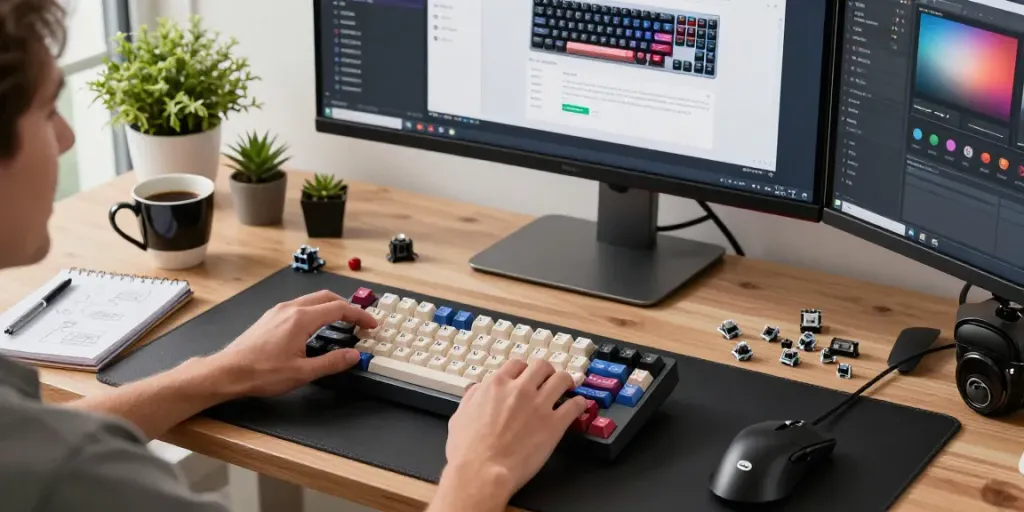
Swapping keycaps on the Wooting 60HE v2 is a straightforward process. First, ensure the keyboard is powered off. Next, use a keycap puller to gently remove the existing keycaps, pulling straight up to avoid bending any switches. Once the old keycaps are removed, line up the new keycaps with their respective switches and press down firmly until they snap into place.
How to Replace and Upgrade Switches
To replace the switches, start by desoldering the existing ones if they are not hot-swappable. After desoldering, insert the new switch into the PCB, ensuring it is aligned correctly with the hot-swap socket or the solder pads. Once aligned, solder the leads of the new switches in place and use a keycap puller to test your modifications before reassembling the keyboard.
Best Practices for Care and Maintenance
Regular cleaning and maintenance of the Wooting 60HE v2 are essential for longevity. Use a soft brush or compressed air to remove dust and debris under the keycaps. For deeper cleaning, consider removing the keycaps and switches, wiping down the PCB with isopropyl alcohol, and checking for any signs of wear on components. Additionally, store the keyboard in a dust-free environment to prevent dirt accumulation.
Performance Metrics: Measuring Improvement
Input Latency and Response Time Enhancements
One of the most notable upgrades users experience with the Wooting 60HE v2 is the reduction in input latency. The keyboard's ability to achieve an 8 kHz polling rate translates to a significant decrease in response time, often observable in competitive gaming environments where milliseconds matter.
Sound Profile Changes with Upgraded Modifications
Acoustics can drastically change with various modifications. By opting for high-quality keycaps and installing dampening materials, users often report a richer sound profile that enhances the overall typing experience. Swapping out the stabilizers can also help minimize rattle, making for a quieter typing experience.
User Feedback and Satisfaction Ratings
User feedback on the Wooting 60HE v2 upgrades has been overwhelmingly positive, with many praising its advanced capabilities and customization potential. On platforms like Reddit and dedicated keyboard forums, enthusiasts share their experiences and modifications, showcasing how these upgrades can lead to a more satisfying keyboard experience.
Future Trends in Mechanical Keyboard Upgrades
Emerging Technologies in Custom Keyboards for 2026
As technology advances, future mechanical keyboards will likely incorporate even faster polling rates and more dynamic features. Innovations such as haptic feedback and more sophisticated RGB lighting setups that respond to in-game events are on the horizon, promising to enhance user immersion.
Community Insights on New Upgrade Paths
The keyboard community continues to innovate, with many modders experimenting with new materials and configurations. Insights from these communities often lead to emerging trends, such as the increasing popularity of hot-swappable keyboards and customizable software that can control RGB settings and macro functionalities.
The Future of Wooting Keyboards: Predictions and Innovations
Looking ahead, Wooting is set to remain at the forefront of keyboard technology, with expectations for new models that integrate advanced features such as customizable actuation points and AI-driven key mapping. As user preferences evolve, so too will the keyboard design, continually aligning with gamer and typing enthusiast expectations.
What are the benefits of upgrading the Wooting 60HE v2?
Upgrading the Wooting 60HE v2 can lead to improved performance metrics, personalized aesthetics, and a more enjoyable typing experience. Enhanced input responsiveness and sound profile adjustments can cater to both gamers and typists alike.
How do I choose the best keycaps for my keyboard?
Choosing the best keycaps involves considering the material, profile, and design. Look for durable materials like PBT and consider your typing style—higher profiles may offer better feedback while lower profiles can be quicker to type on.
What is the installation process for Wooting 60HE v2 upgrades?
The installation process for upgrades typically involves swapping out keycaps and potentially soldering new switches. Following a careful, step-by-step approach will ensure a seamless upgrade experience.
Are the upgrades worth the investment?
Many users find that the upgrades are well worth the investment, as they can significantly enhance both performance and enjoyment. The ability to customize the keyboard to fit personal preferences further adds to its value.
What future features can we expect in keyboard upgrades?
Future features may include even faster polling rates, advanced key mapping capabilities, and haptic feedback systems, ensuring that new upgrades are continually meeting gamer and typist demands.